 Kipzy
Private browsingYour browsing stays on your phone.
Kipzy doesn't need to know who you are or what you read. Private tabs leave nothing behind, trackers are blocked, and the whole app can lock with Face ID.
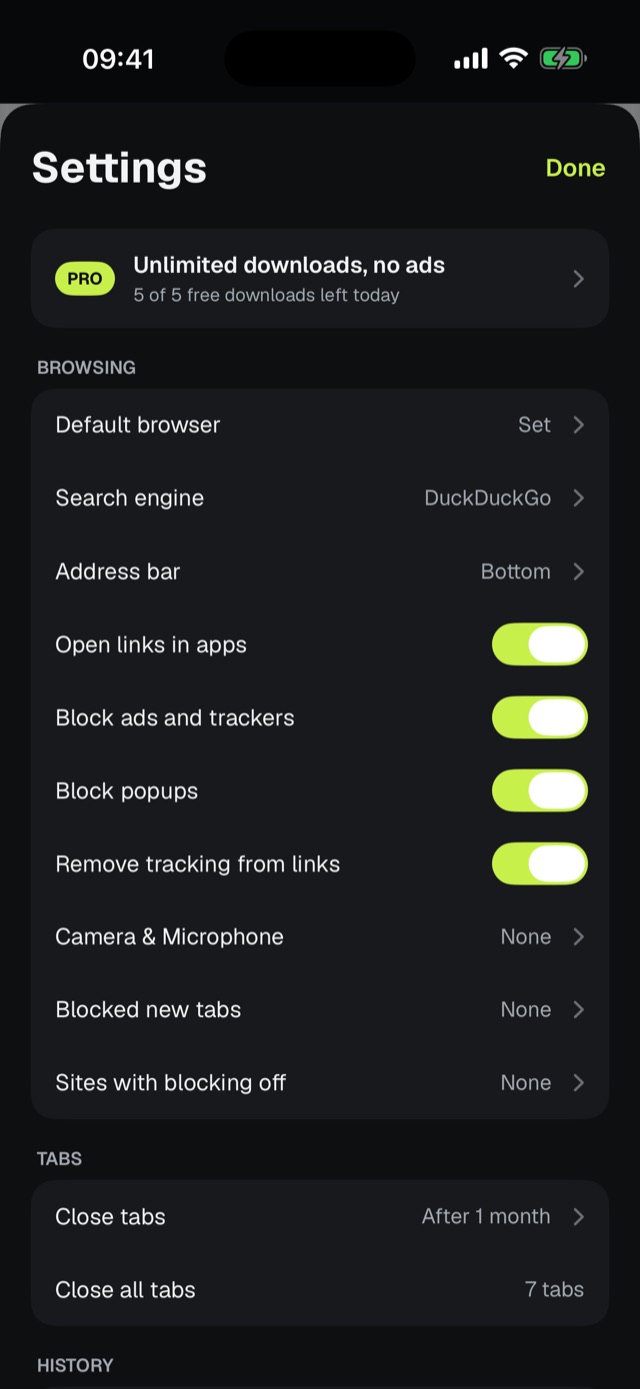
What you get
Private tabs
Private tabs use their own temporary storage and keep nothing after you close them.
Face ID lock
Lock the whole app, or hide videos in a private folder only you can open.
Tracker blocking
Trackers are blocked before they load, on every tab.
Clean links
Kipzy removes tracking parameters from links you open.
No account
Nothing to sign up for. Open the app and start browsing.
Stays on your iPhone
History, bookmarks and downloads never leave your phone.
How it works
- 1
Open a private tab
Start one from the tabs screen whenever you want.
- 2
Browse
Trackers are blocked and nothing is saved to history.
- 3
Close it
Cookies, logins and site data from the private tab are gone.
Privacy settings in one place.
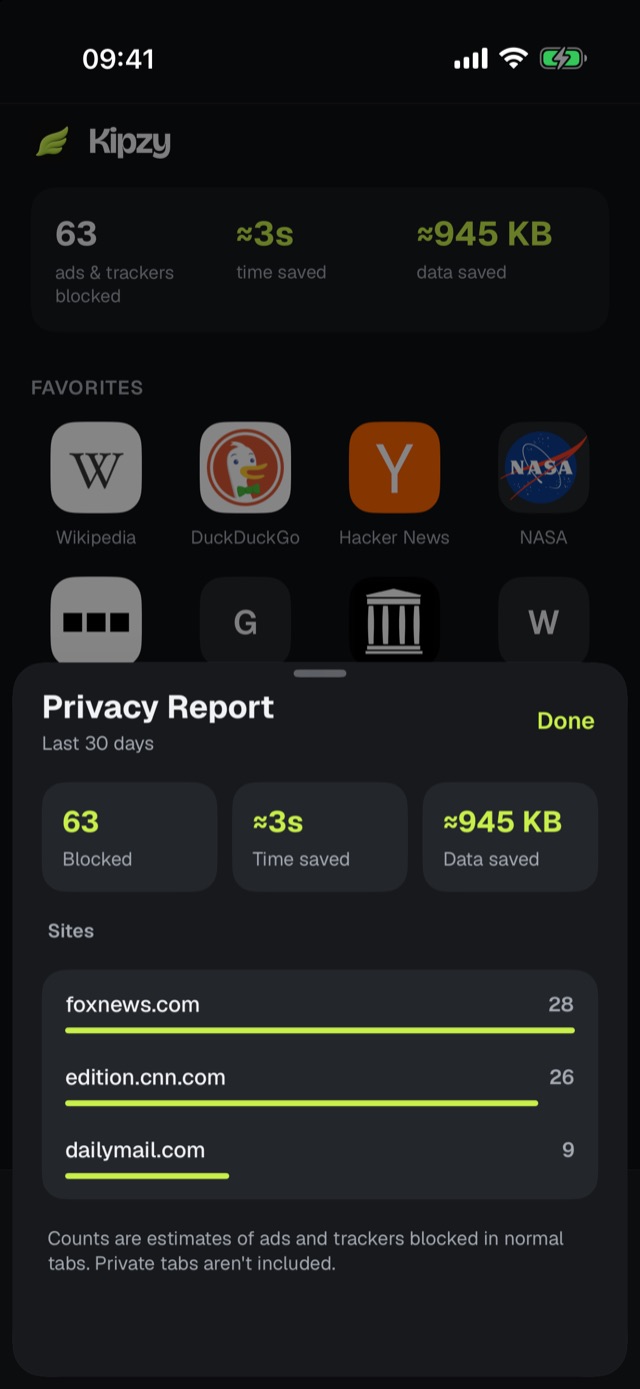
See which trackers were stopped.
Questions
Does Kipzy see the pages I visit?+
No. Your history, bookmarks and downloads stay on your iPhone. Anonymous usage stats never include full web addresses, and you can turn them off with one switch.
Do I need an account?+
No. There is nothing to sign up for.
Is the Face ID private folder free?+
Private tabs and tracker blocking are free. The Face ID private video folder is included with Pro.
Does private browsing hide my IP address?+
No browser's private mode hides your IP address on its own. Private tabs keep browsing off your phone and Kipzy blocks trackers, but sites and your network can still see your connection.
Guides
- Private Browsing on iPhone: How to Turn It On, Off, and Lock It
- How to Stop Websites From Tracking You on iPhone (2026 Guide)
- How to Hide Videos on iPhone (and Lock Them with Face ID)